BetaBrowser checks for small teams
Catch broken flows.Before you ship.
Describe a signup, login or form in plain English. LiteQA turns it into a browser check that reruns the same steps after every change.
Verify your email to get starter credits. No card or beta code needed.
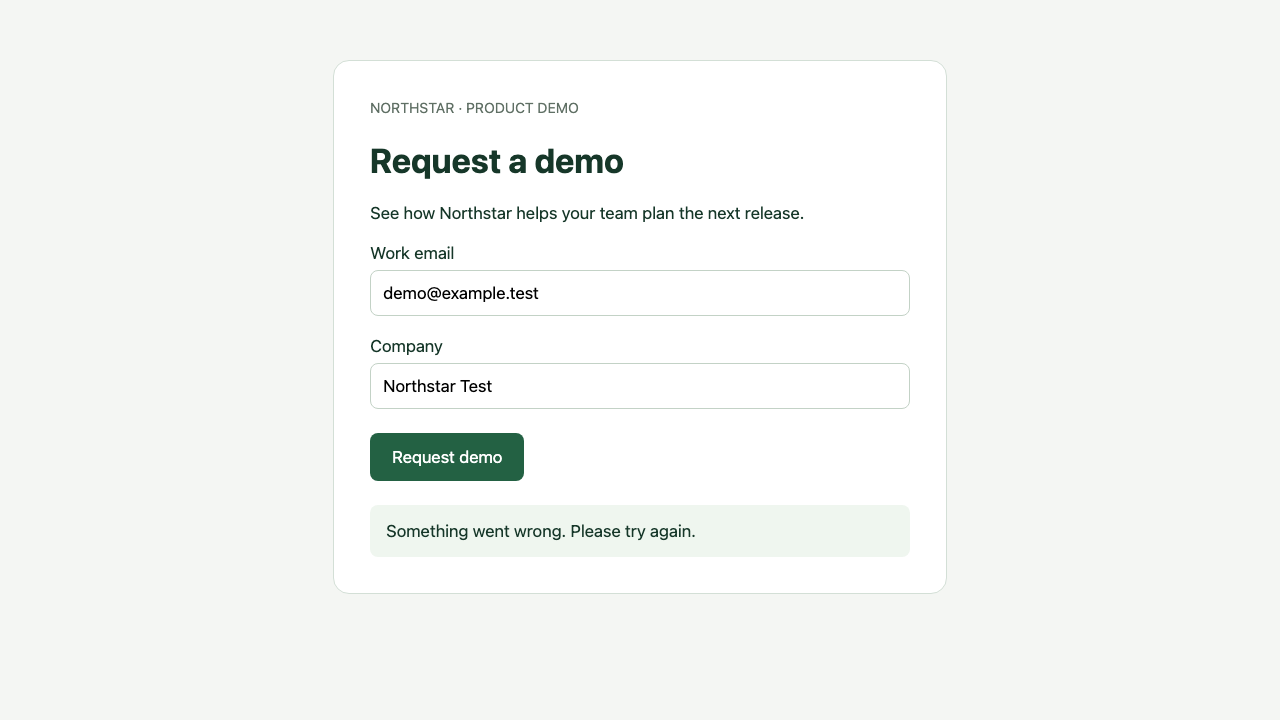
The step that broke
Every run lists its steps and marks the one that failed.
Expected vs. actual
What success should look like, next to what the browser showed.
Screenshots and video
See the page when it failed, or watch the whole run.
Example report. The screenshot is real, from our demo app.
Check the flows you test by hand.
Public pages and pages behind a login. Use test accounts and test data.
Sign up
A new account reaches the app.
Log in
A test user gets to the dashboard.
Demo and contact forms
The form sends and says thanks.
Key app pages
Settings, billing or search still load.
Create a record
A new item saves and shows up.
Reach checkout
Checkout opens. No payment is made.
Why LiteQA
Run with AI.Check fresh evidence.
Save your goal and expected outcome. Every Run uses AI to navigate and evaluates fresh browser evidence against that intent.
Same intent every run
AI navigates on every Run and checks fresh evidence against your saved intent.
Evidence for the result
Observed contradictions fail. Missing evidence is reported as could not verify.
Results you can inspect
Review the saved goal, expected outcome, actions and evidence for each Run.
No test code
Describe the flow in plain English. There’s no script to maintain.
How it works
Set it up once.Rerun it anytime.
- 01
Describe it
Add a URL, what to do, and what success looks like.
- 02
Review it
AI runs your journey and records evidence. Review what it observed.
- 03
Rerun it
Run again after changes, or explicitly enable a daily or weekly AI schedule.
For coding agents
Let Codex or Claude Code run your checks.
Add one skill and an API key. Your agent can create checks, rerun them after a change, and read what failed.
- Works in Codex and Claude Code
- Same checks and results as the web app
- Your API key stays in your environment
you
Check the demo form on staging. After I submit it, I should see “Demo request received”.
agent
- ✓ Saved check “Demo request”, 4 steps
- ✕ Run again failed at step 4
- Browser showed “Something went wrong.”
- → Fixed the form handler. Rerunning…
- ✓ Run again passed
Questions
Short answers about how LiteQA works today.
Do I need to write test code?
No. Describe the journey and expected outcome in plain English, then inspect the recorded evidence.
Does AI run every check?
Yes. First and repeat Runs use AI and consume credits for actual usage. A temporary credit hold is not a fixed price or spending cap.
Can it test pages behind a login?
Yes. Give it a test account and the check can log in first. Use test accounts and test data, not real customer ones.
What can’t it check yet?
Real payments, CAPTCHAs, generated inbox or OTP tools, sign-in that only works through Google or similar, and flows that need several users at once.
How do checks run?
Run one any time, ask your coding agent to run it, or schedule it daily or weekly. Results show up in LiteQA.
What does it cost?
Signing up is free. New accounts get one-time starter credits after email verification, with no card or beta code required. Existing beta codes remain redeemable in Credits.
Stop checking it by hand.
Start with the flow you test before every release.
Verify your email to get starter credits. No card or beta code needed.